Browsers inside apps
Last updated:
A good filter is worth little if there is another way onto the web. There are two kinds: another browser installed on the phone, and an in-app browser (WebView) that an app opens inside itself when you tap a link. SafeGuard's App Manager handles both.
Other browsers
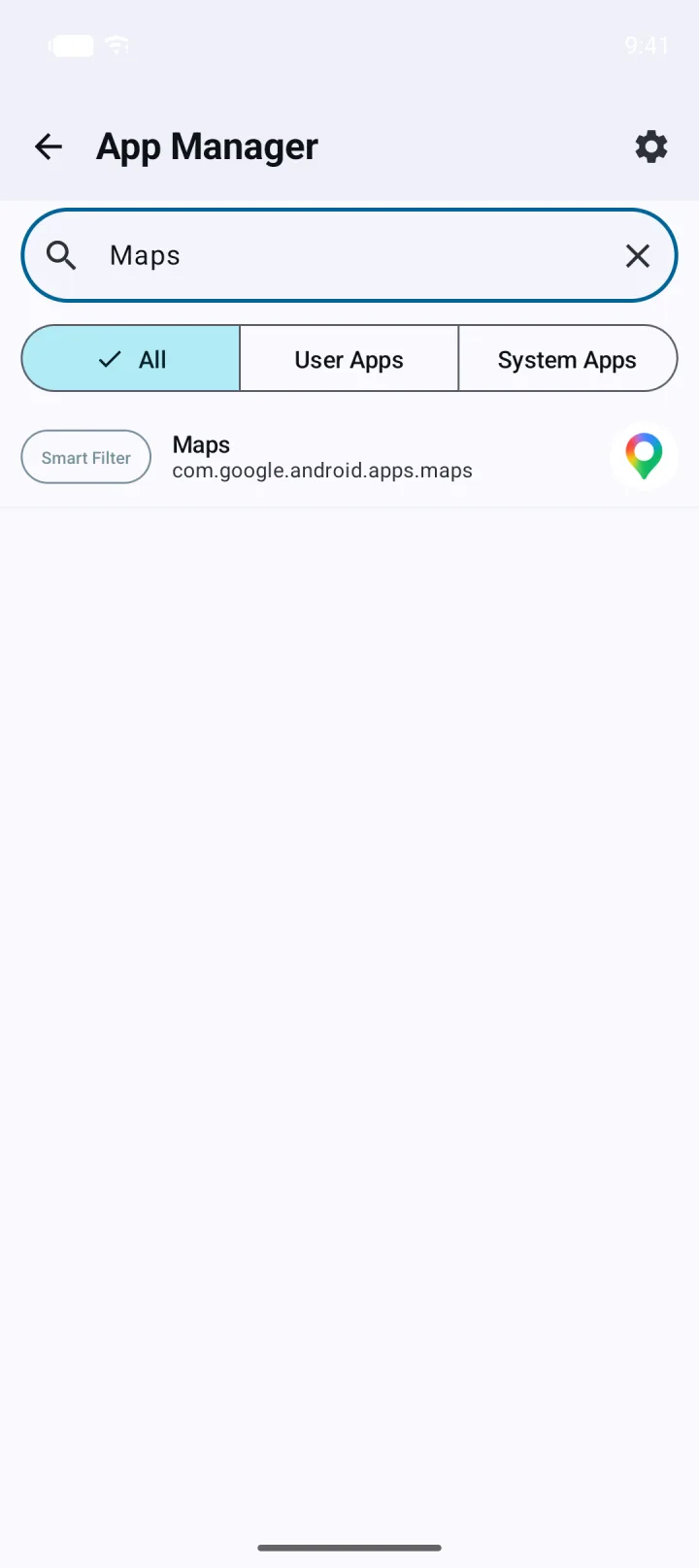
Open App Manager on the main screen. Use the System Apps and User Apps filters to find every browser. Tap an app, and under Protection choose what to do with it.
- Hide: the app disappears from view.
- Suspend: the app stays where it is, but greyed out and it will not open.
For Google Search, choose Hide, not Suspend. In our experience, suspending does not block it.
Browsers inside apps
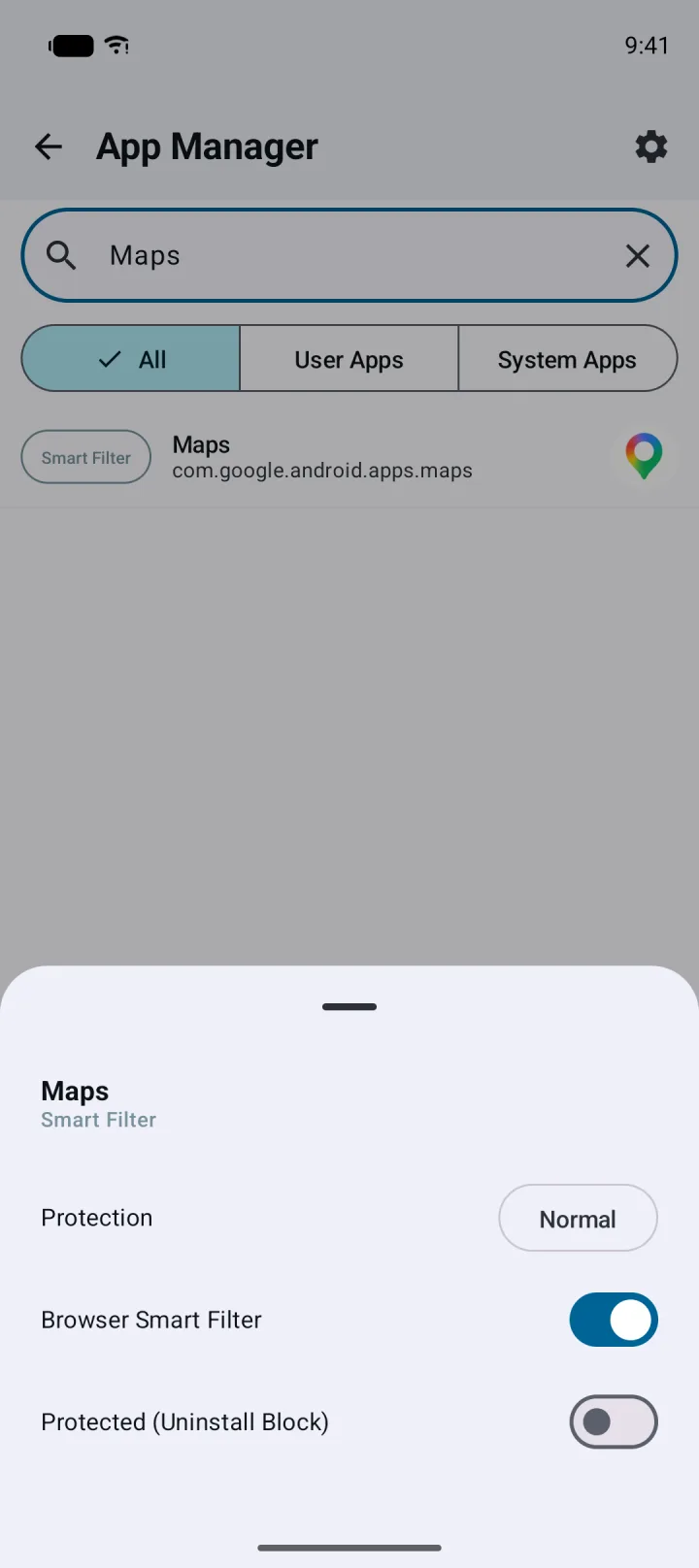
Many apps open links in a browser of their own, outside SafeSurf. To filter there, turn on the Browser Smart Filter switch for the app. This relies on the accessibility service, so it must be on. See the quick start.
- Start with the user apps where an in-app browser can be reached: messaging, social, email, newer apps.
- Turn on Browser Smart Filter for them and use the app for a few minutes. Test without a delay, so you can confirm the filter does not hurt the app and undo it if it does.
- Then move on to system apps, such as the Samsung account or My Files.
- When everything works, set the delay in the recommended settings.
The app you see is not always the host
Sometimes the in-app browser belongs to a different app than you expect. For example, when you add a Google account, the sign-in window opens from the Google services app, not from the email app.
So check which app really hosts it. The common example: keep Gmail working as usual, and block the in-app browser in the Google services app.
Check that it works
- Turn on Browser Smart Filter for one app.
- Open a link inside it, from a message or a post, of the kind that opens in an in-app browser.
- If the link is blocked, it works. If the app broke, switch the toggle off now, while there is still no delay.
Suspend and Browser Smart Filter are not the same. Suspend shuts the whole app. The filter keeps the app open and blocks only the browser inside it. For apps you need, choose the filter.
Related
Further reading
Something not working as described? See troubleshooting, or report a problem.
The support bot answers common questions right away. You can ask it for a person, and we will reply in the chat.