The delay and a partner
Last updated:
A lock that can be switched off with a tap is hard to hold to when things get hard. So a change that weakens protection does not take effect right away: it waits for the delay, and by the time the delay ends, the moment has usually passed. The delay can only be shortened with help from another person, a partner (a parent, friend or rabbi you choose).
How the delay works
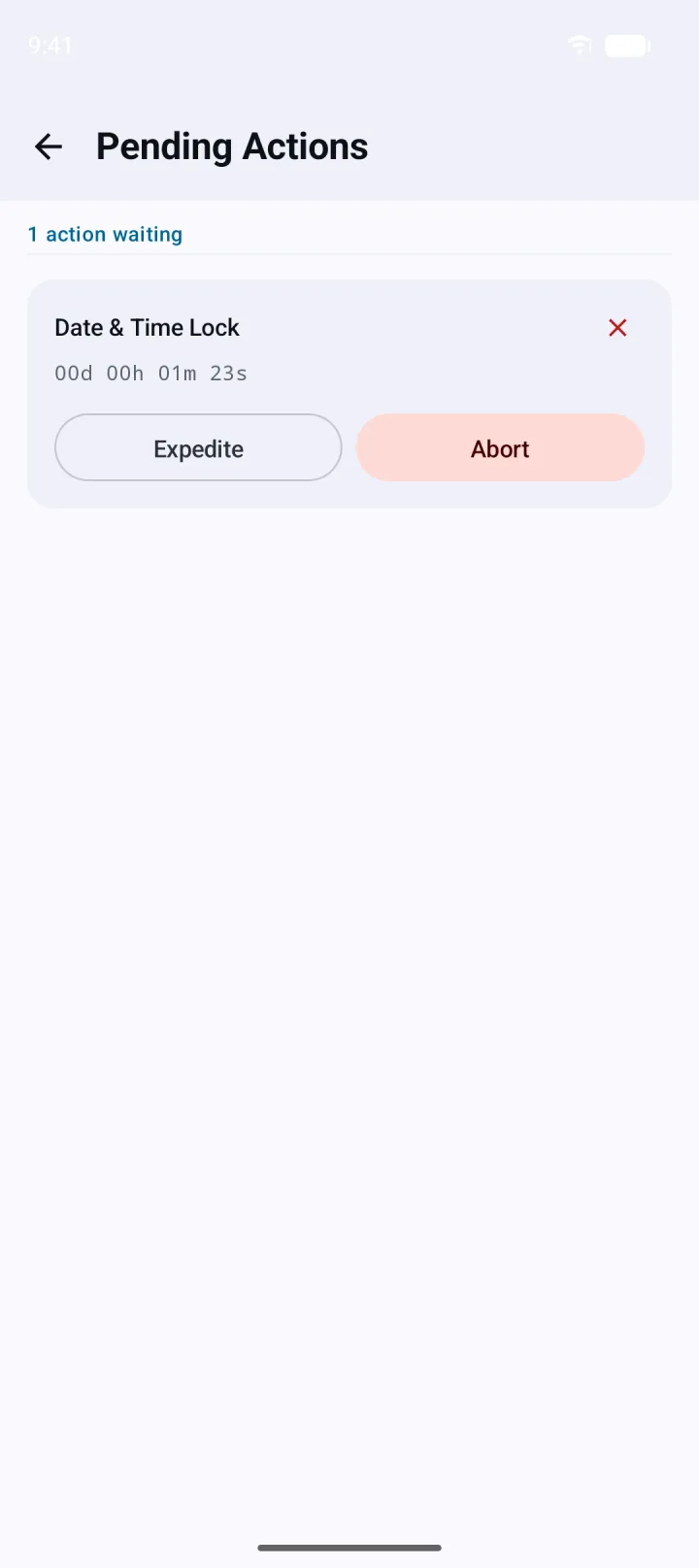
When you ask to switch off a lock or allow content, the change goes into Pending Actions (the bell on SafeGuard's main screen). When the time passes, the change takes effect. Until then you can cancel the request.
Adding protection, such as a new block or a lock, takes effect immediately. Only lowering protection waits. You set the length of the delay in the recommended settings, last, once everything else is ready.
Why a partner
A partner is someone you trust: a spouse, a parent, a friend. They can approve a change early, without waiting, when there is a good reason. And if you forget a password, they can help you back in.
Set up a partner
All you need is a nickname for your partner and an invite link that you send them any way you like. It works from any country.
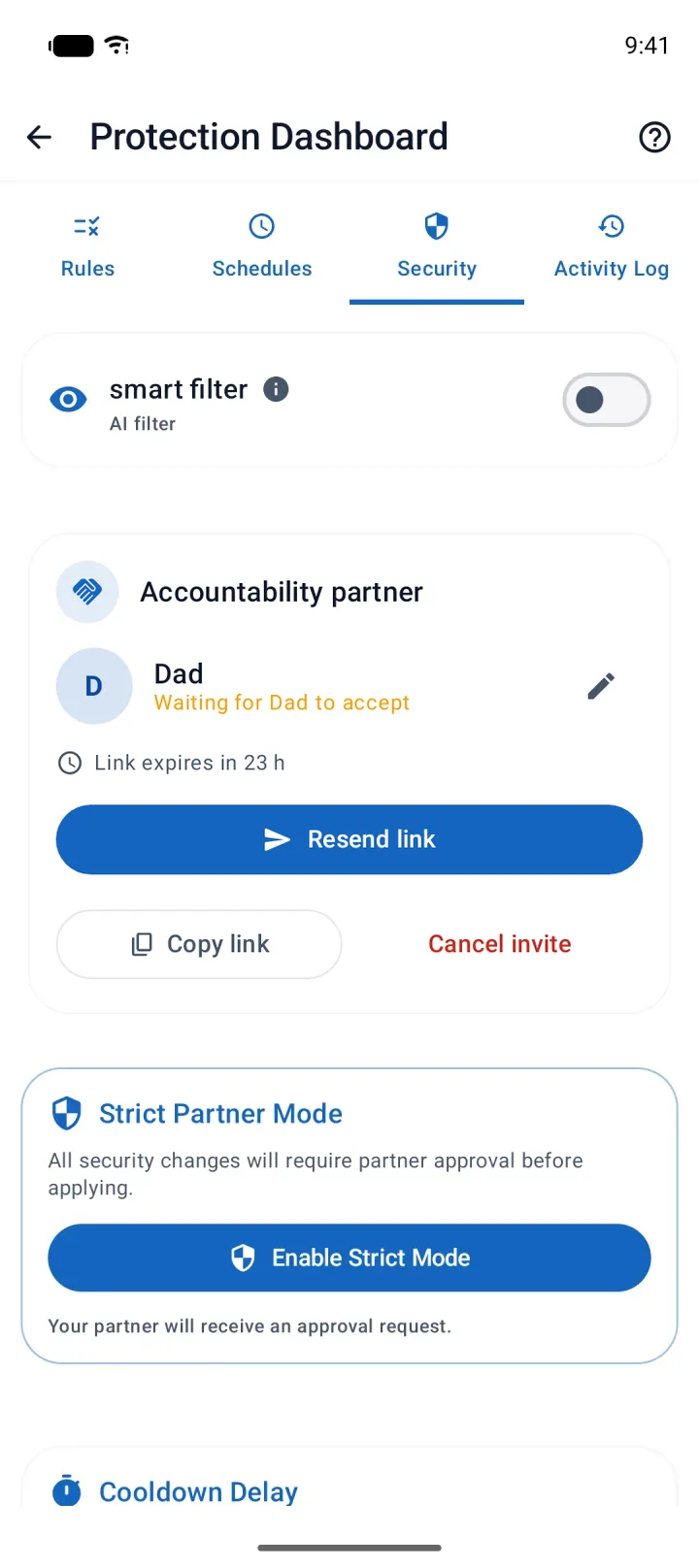
- In SafeSurf, open the Protection Dashboard and go to Security Config. On the Accountability partner card, tap Add a partner.
- On What do you call your partner?, type a nickname that helps you recognise them, such as "Dad" or "Rabbi Cohen". You can also leave it blank.
- If you already set a delay, adding the partner waits for it too and you'll see Your partner will be added in…. When the time is up, come back to the card and send the link. With no delay you go straight to the next step.
- On Send the invite link, choose how to send the link (details below).
- The partner opens the link, picks their own private passcode (PIN) and verifies their email address. From then on they are your partner and can approve requests.
Four ways to send the link
- Share link. Opens your phone's share menu. Send it in any messaging app or email app you already use.
- Send by email. Type your partner's email address and we send them an invitation that explains what a partner does, with a button that opens the link.
- Show QR code. When your partner is next to you, they scan the code with their phone's camera.
- Copy link. Copies the link so you can paste it anywhere else.
The link is valid for 24 hours. Until your partner finishes, the card shows Waiting for Dad to accept (with the nickname you chose). If the link expires or gets lost, tap Resend link and send a new one.
What your partner does
The link opens a page on the SafeSurf website that says who asked them to be a partner and what that means. They pick a passcode only they know and verify their email with a code we send them. The email is also how they sign in to their management dashboard. They do not need to install the app.
Two ways to work
- A partner who speeds things up. The delay keeps working as usual, and the partner only shortens the delay when it makes sense. This fits when the delay is long.
- Managed Mode. All changes require partner approval, and local delays are disabled. No change takes effect on its own.
To ask for a speed-up, tap Expedite on a pending action and send the partner the approval link any way you like. They see what is being asked and approve or not.
Change or remove a partner
In managed mode, the partner can't be changed or removed without their explicit approval. A partner who only speeds things up can be removed immediately.
What to tell your partner
Before you send the link, explain what is expected. They are not there to judge you. They need to answer, and to know they may say no.
- They get a link for each request, and should check what is being asked before approving.
- If a request looks rushed, they can wait. That is exactly what the delay is for.
- They must not share the PIN, not even with you.
Related
Further reading
Something not working as described? See troubleshooting, or report a problem.
The support bot answers common questions right away. You can ask it for a person, and we will reply in the chat.